
Categories
Component Categories Overview
Categories in the Joomla component provide a structured way to organize and group content such as listings or events. They establish a hierarchical taxonomy that improves content management in the administrator interface and enhances navigation and filtering on the frontend.
Categories can be arranged in parent–child relationships, allowing administrators to create simple or complex category trees depending on site requirements. This structure supports scalability as content grows over time.
Categories List Screen
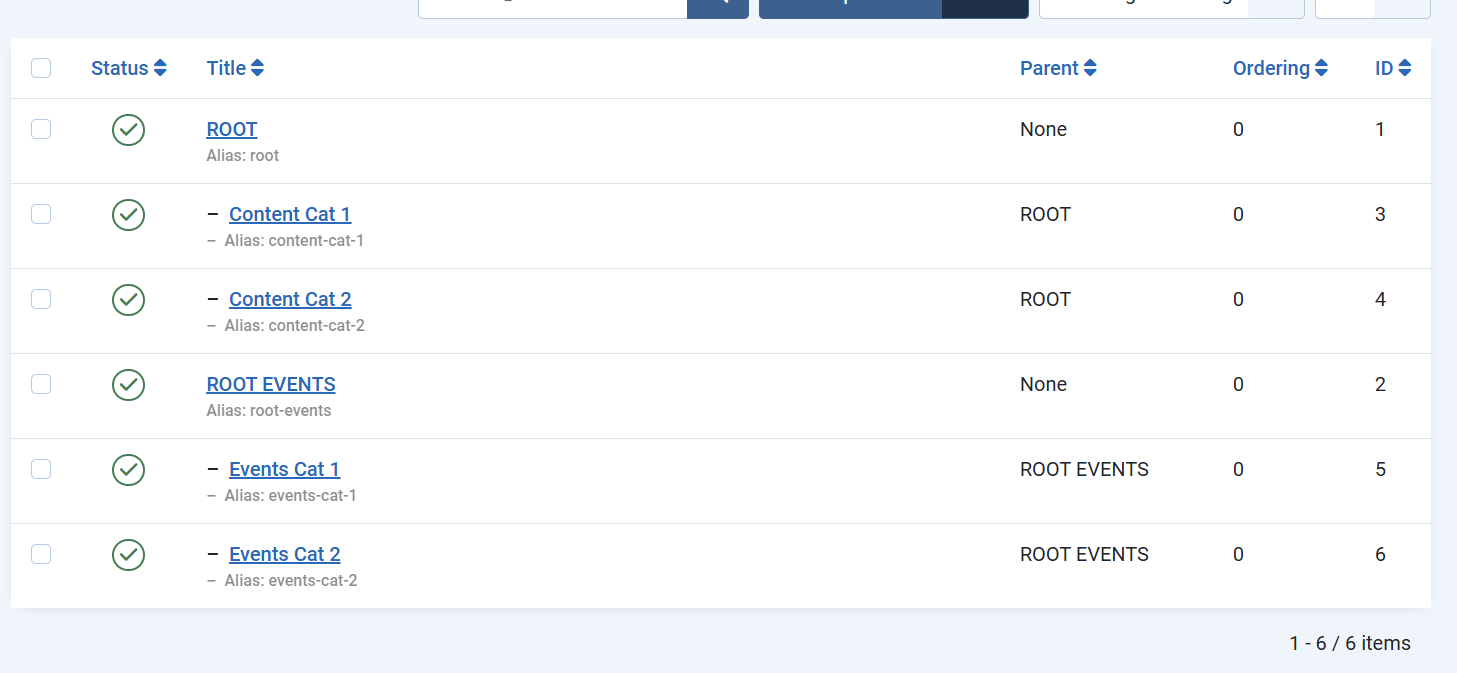
The Categories List screen displays all categories associated with the component in a hierarchical view. This screen is primarily used for overview and management purposes.
Administrators can quickly assess the category structure, including root-level categories and their children, as well as the publication status and ordering of each category. The hierarchical display makes it easy to understand how content is grouped and how categories relate to one another.
From this screen, common management actions such as publishing, unpublishing, reordering, or selecting categories for editing are performed. The list view serves as the central control point for maintaining an organized and consistent category structure.
Category Edit Screen
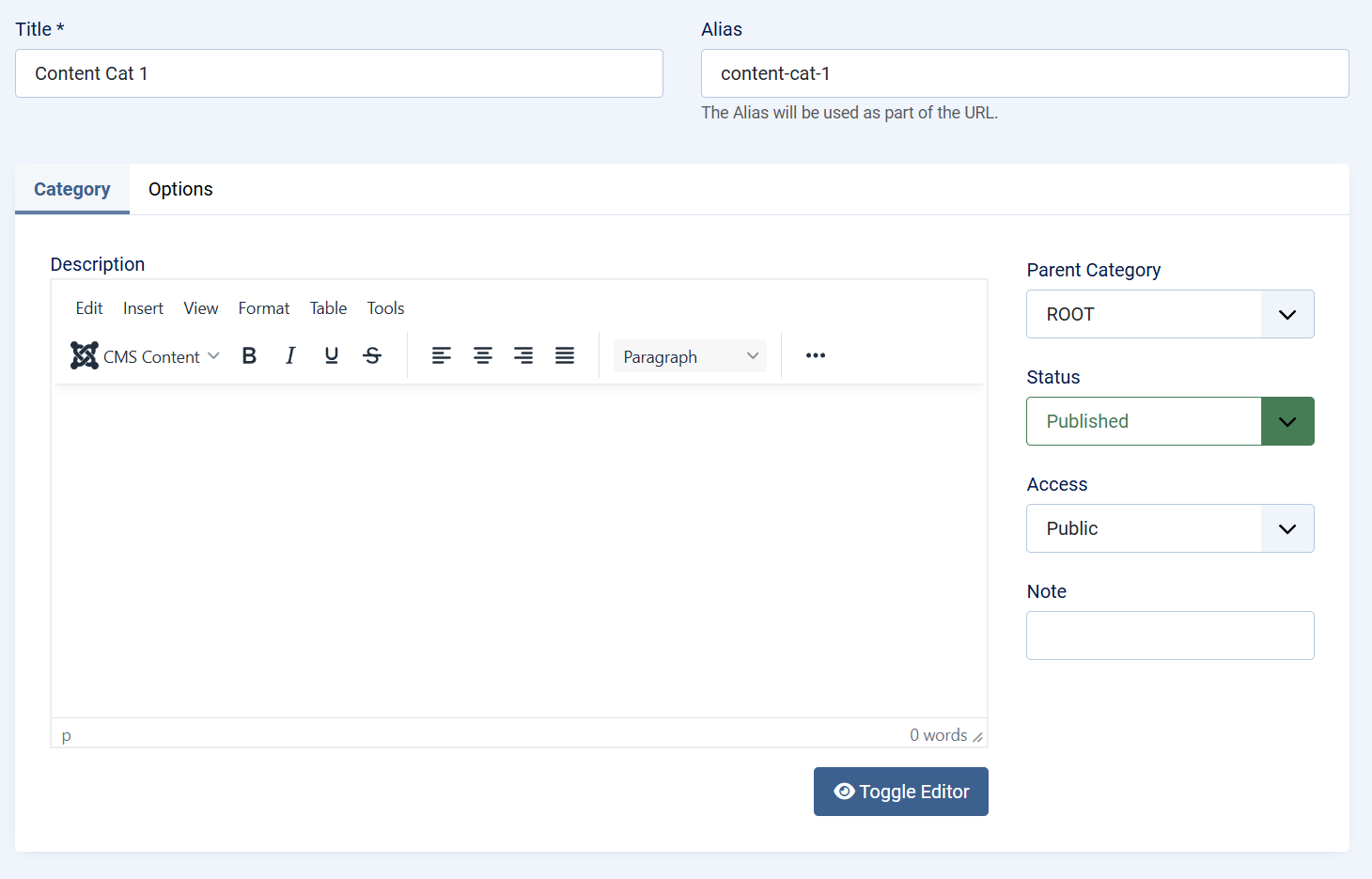
The Category Edit screen is used to create new categories or modify existing ones. It focuses on defining both the identity and behavior of a category within the component.
At a high level, this screen allows administrators to:
-
Define the category name and URL alias
-
Assign the category to a parent category to control hierarchy
-
Set publication status and access level
-
Provide descriptive content for contextual or frontend use
The edit interface follows standard Joomla patterns, ensuring consistency with core category management. This familiarity reduces the learning curve and helps administrators work efficiently.
Changes made on the Category Edit screen directly affect how content is organized and displayed throughout the component, making careful category planning an important part of overall site structure.
Summary
Component categories form the foundation of content organization within the Joomla component. The Categories List screen provides visibility and control over the category hierarchy, while the Category Edit screen enables precise definition and customization. Together, they support clear content structure, improved usability, and long-term maintainability of the site.