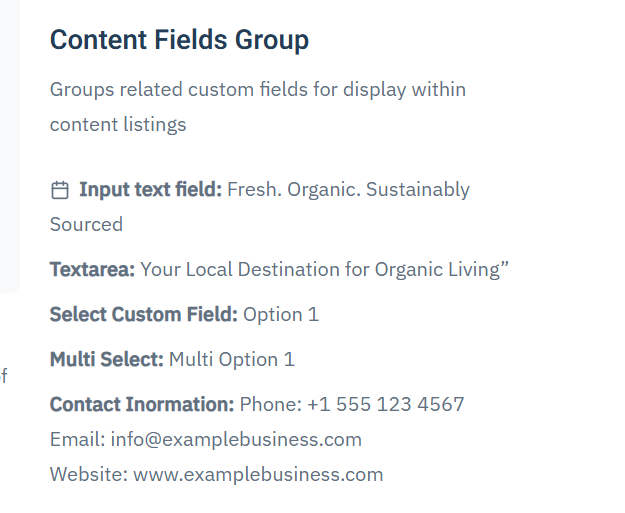
Custom Fields
Custom Fields – Overview
Custom Fields in OneCore allow you to extend standard content types (such as events, listings, or articles) with additional, configurable data fields. This makes it possible to tailor content structures to specific project requirements without modifying core code.
Custom fields are organized into Field Groups, which are then assigned to specific content entities. Once assigned, all fields within the group become available when creating or editing content of that type.
Field Groups
A Field Group defines where and how a set of custom fields is used.
-
Field groups are linked to a specific content entity (for example, Events or Listings).
-
Only field groups assigned to an entity will display their fields in the content edit form.
-
Field groups help keep content structured, consistent, and easier to manage.
Creating a Custom Field
When creating a custom field, you define both its basic identity and its behavior.
Before creating first custom field, as least one custom fields group needs to be created.
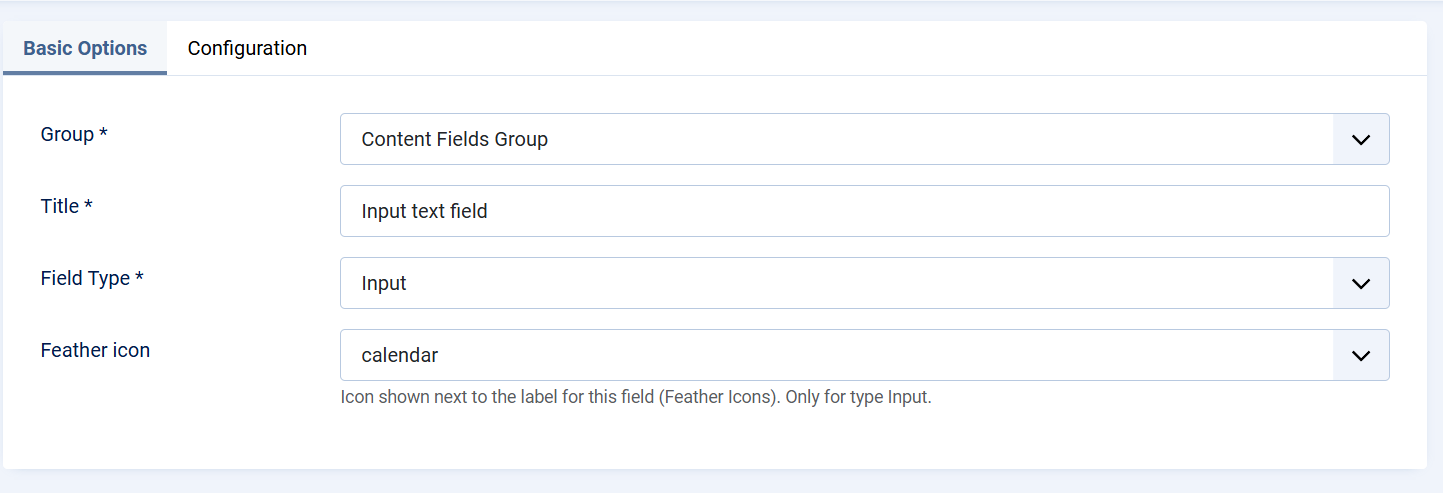
Basic Options
-
Group
Select the Field Group this field belongs to. This determines where the field will appear. -
Title
The label displayed to content editors in the backend. -
Field Type
Defines the type of input used to store data (for example, text input). The field type controls how users enter data and how it is stored. -
Icon (Feather Icon)
An optional icon displayed next to the field label. This improves visual clarity and usability, especially for frequently used fields.
Field Configuration
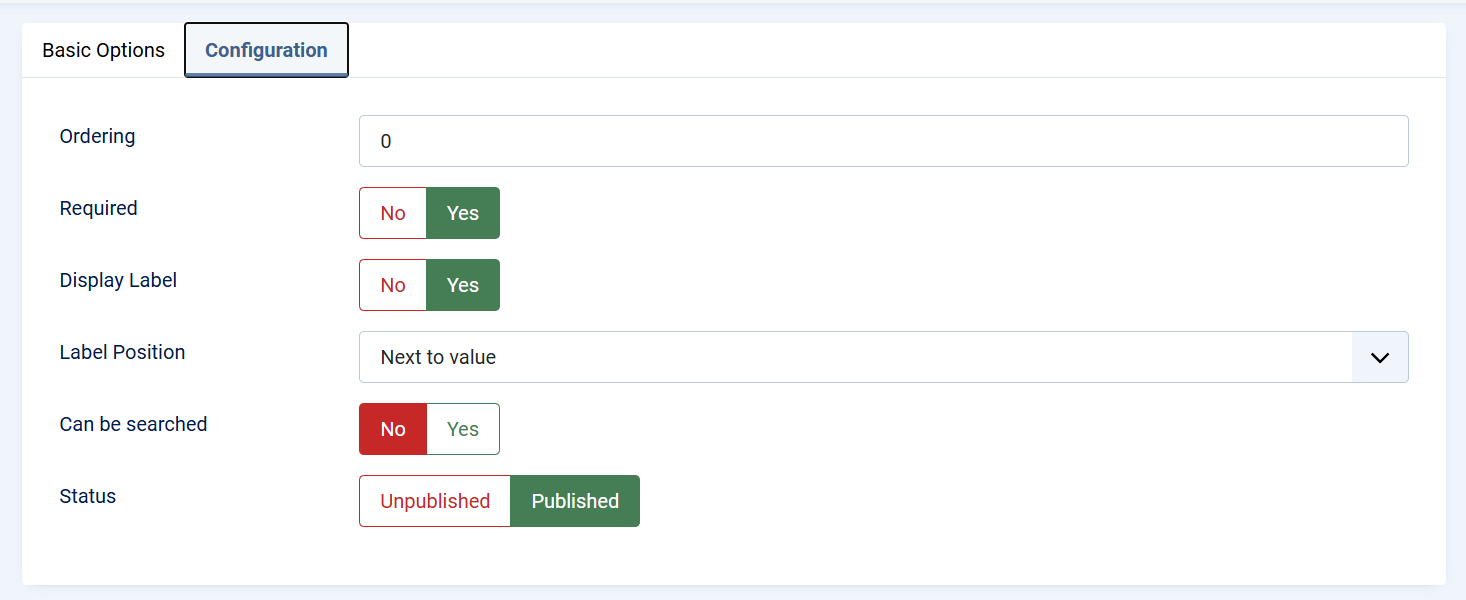
The Configuration tab controls how the field behaves and how it is presented.
-
Ordering
Determines the position of the field within the form. Lower values appear first. -
Required
When enabled, the field must be filled in before the content can be saved. -
Display Label
Controls whether the field label is visible in the front end of the extension -
Label Position
Defines where the label is displayed relative to the field value (for example, next to the value). -
Searchable
Enables the field to be used in search and filtering features, making the content easier to find on the frontend or backend. -
Status
Controls whether the field is published and available for use. Unpublished fields are not shown in content forms.
Publishing and Visibility
Only published fields that belong to a published field group assigned to the correct content entity will appear in the content editor. This ensures full control over which fields are active and visible to content managers.
Usage in Content
Once configured and published:
-
Custom fields appear automatically in the content edit view.
-
Values entered by editors are stored with the content item.
-
Fields can be displayed on the frontend, used for filtering, or included in layouts depending on the component configuration.