# Making an Offer / Bid

## Overview

For every listing made, contractors or companies can provide an offer. This offer includes information such as pricing, time taken to complete the task and description about the services provided.

### Making an Offer

To make an offer, navigate to the listing that you want to make an offer to. The following image shows the offer screen.

[![obraz.png](https://wiki.comdev.eu/uploads/images/gallery/2024-03/scaled-1680-/dzbobraz.png)](https://wiki.comdev.eu/uploads/images/gallery/2024-03/dzbobraz.png)
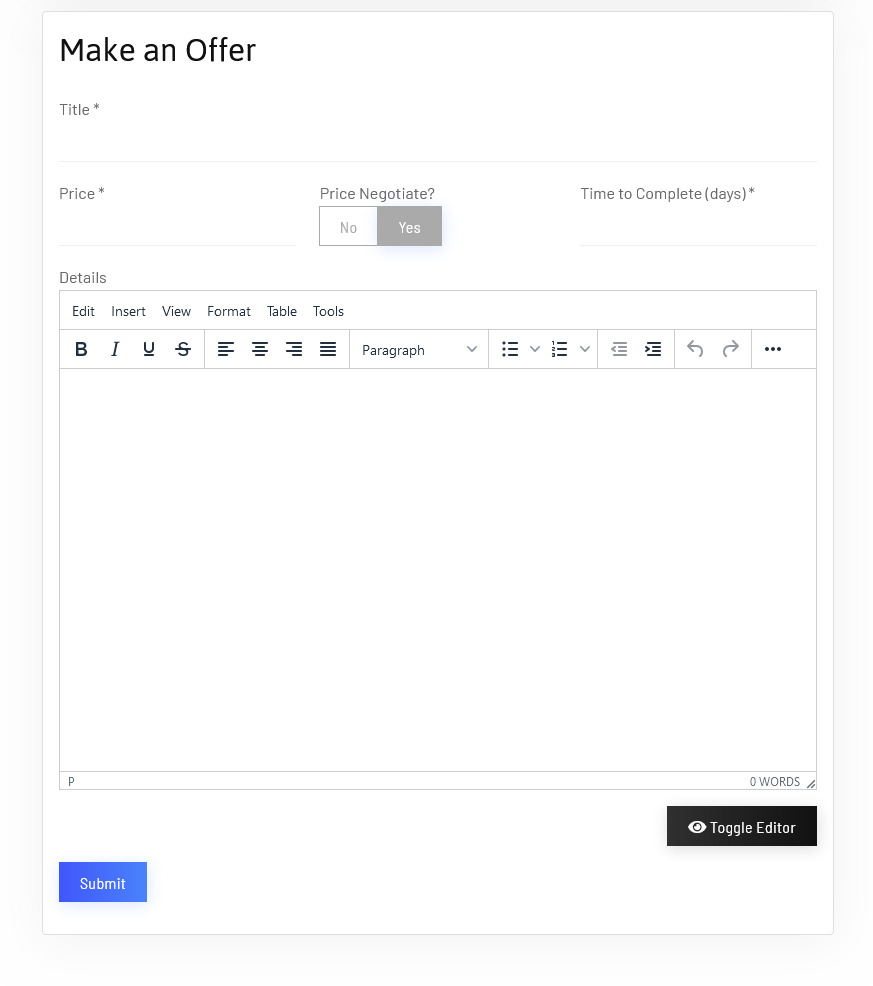
**Screen 1: Making an offer**

Let us understand each of the buttons seen on the screen using the following table.

<table class="confluenceTable tablesorter tablesorter-default stickyTableHeaders" id="bkmrk-title-title-of-the-o" role="grid" style="padding: 0px;"><tbody aria-live="polite" aria-relevant="all"><tr role="row"><td class="confluenceTd">**Title**

</td><td class="confluenceTd">Title of the offer

</td></tr><tr role="row"><td class="confluenceTd">**Price**

</td><td class="confluenceTd">Price of services

</td></tr><tr role="row"><td class="confluenceTd">**Price Negotiable**

</td><td class="confluenceTd">Slide to select whether price is negotiable

</td></tr><tr role="row"><td class="confluenceTd">**Time to Complete (days)**

</td><td class="confluenceTd">Duration taken to complete the services

</td></tr><tr role="row"><td class="confluenceTd" colspan="1">**Description**</td><td class="confluenceTd" colspan="1">Detailed description of the services offered.</td></tr></tbody></table>

### Make a Bid

To make a bid navigate to the listing that you want to make an offer to. The following image shows the offer screen.

[![obraz.png](https://wiki.comdev.eu/uploads/images/gallery/2024-03/scaled-1680-/m3Wobraz.png)](https://wiki.comdev.eu/uploads/images/gallery/2024-03/m3Wobraz.png)
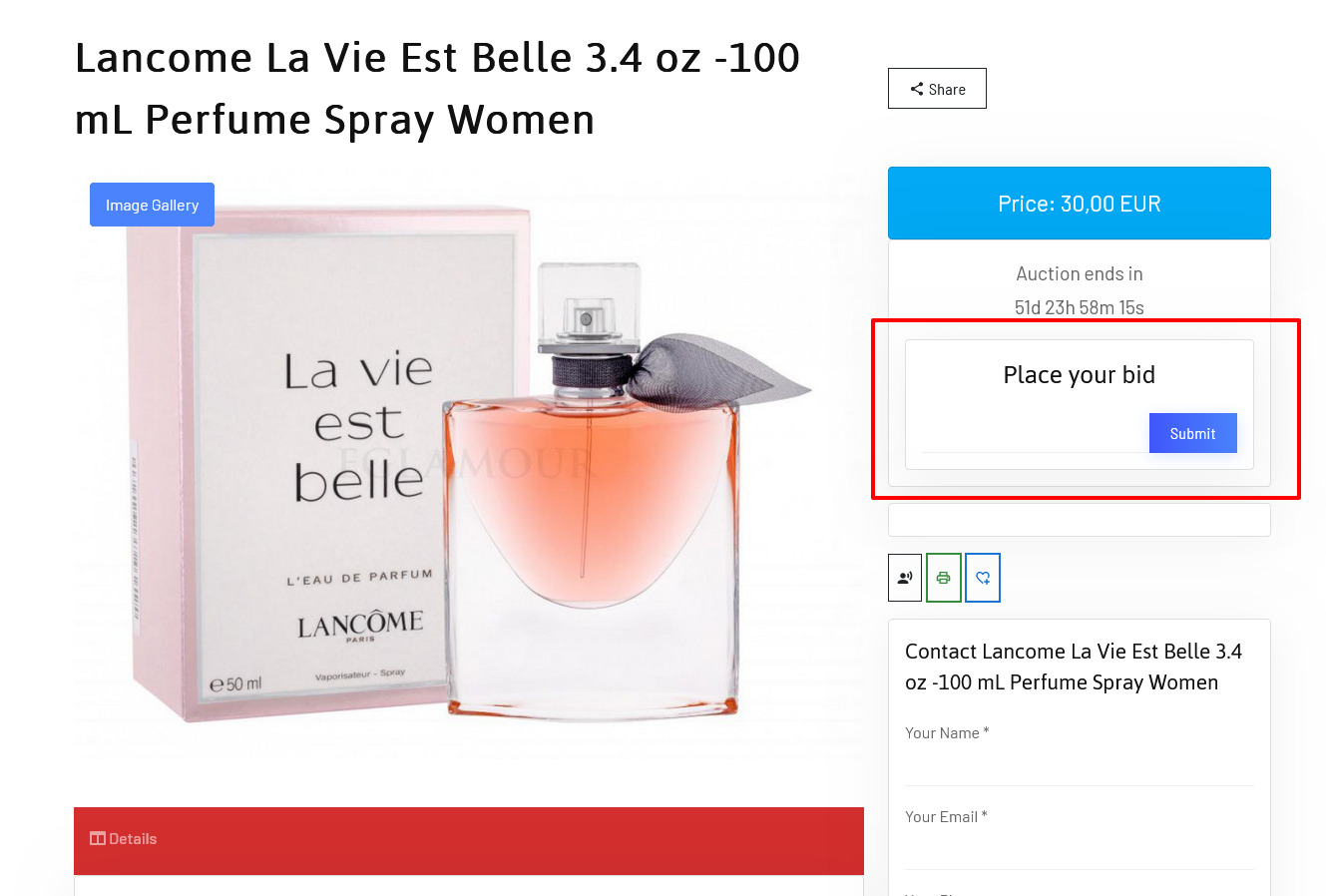
<p class="callout warning">Please notice that in order to place an offer user would need to be logged in.</p>