# User Membership

## Overview

You can view the user membership plan details on the Front Admin page. If eligible for, you can also upgrade the user membership plan to a higher plan.

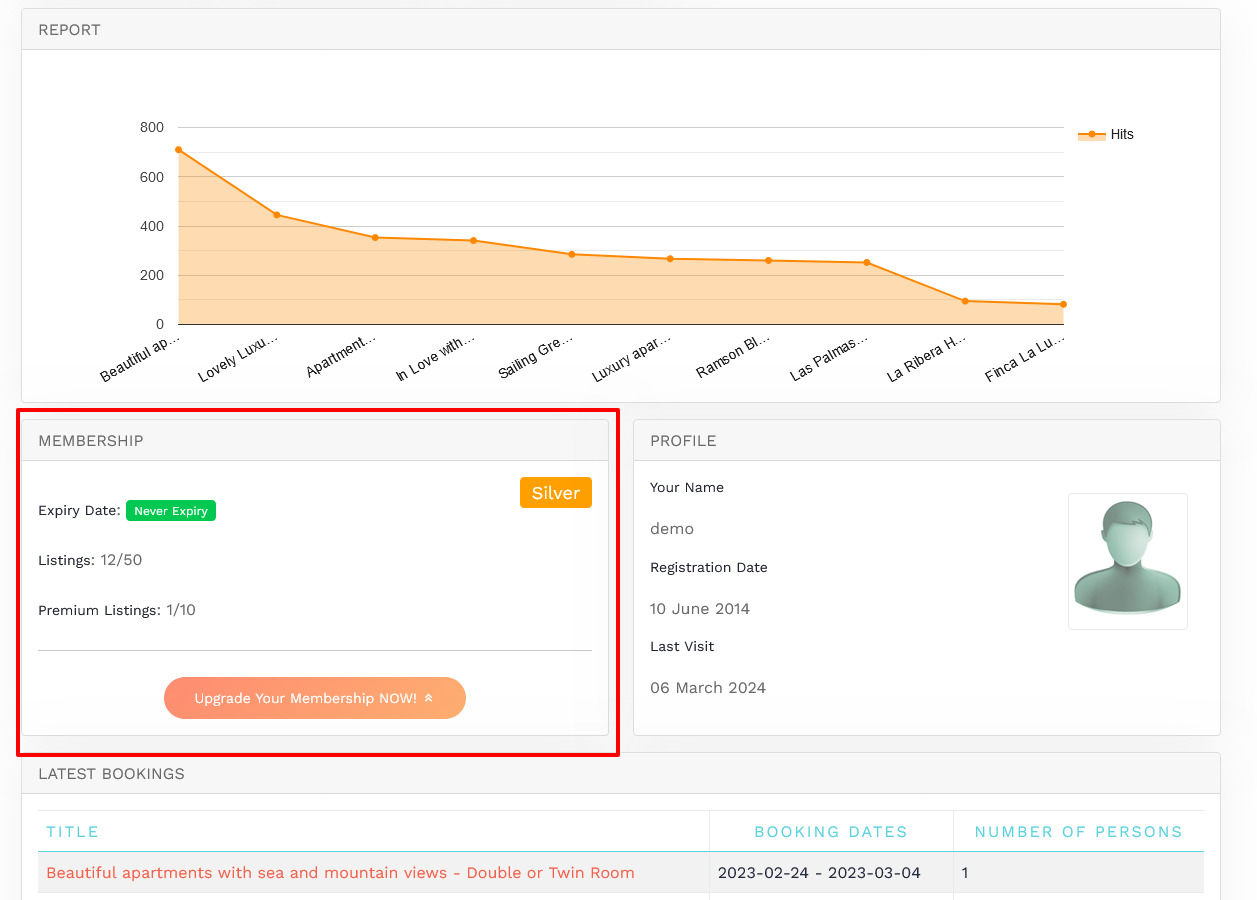
<div bis_skin_checked="1" class="confluence-information-macro confluence-information-macro-note conf-macro output-block" data-hasbody="true" data-macro-name="note" id="bkmrk-user-membership-plan"><div bis_skin_checked="1" class="confluence-information-macro-body">User membership plan can only be upgraded through the Front Admin. You can perform other membership tasks from the back end using information given in the [Membership](http://confluence.comdev.eu/display/JH3/Membership) section of the Administrative Guide.</div></div>The following screen shows the Membership details for the user.

[![obraz.png](https://wiki.comdev.eu/uploads/images/gallery/2024-03/scaled-1680-/vT7obraz.png)](https://wiki.comdev.eu/uploads/images/gallery/2024-03/vT7obraz.png)
<span class="confluence-embedded-file-wrapper confluence-embedded-manual-size">  
</span>

**Screen 1: Membership details**

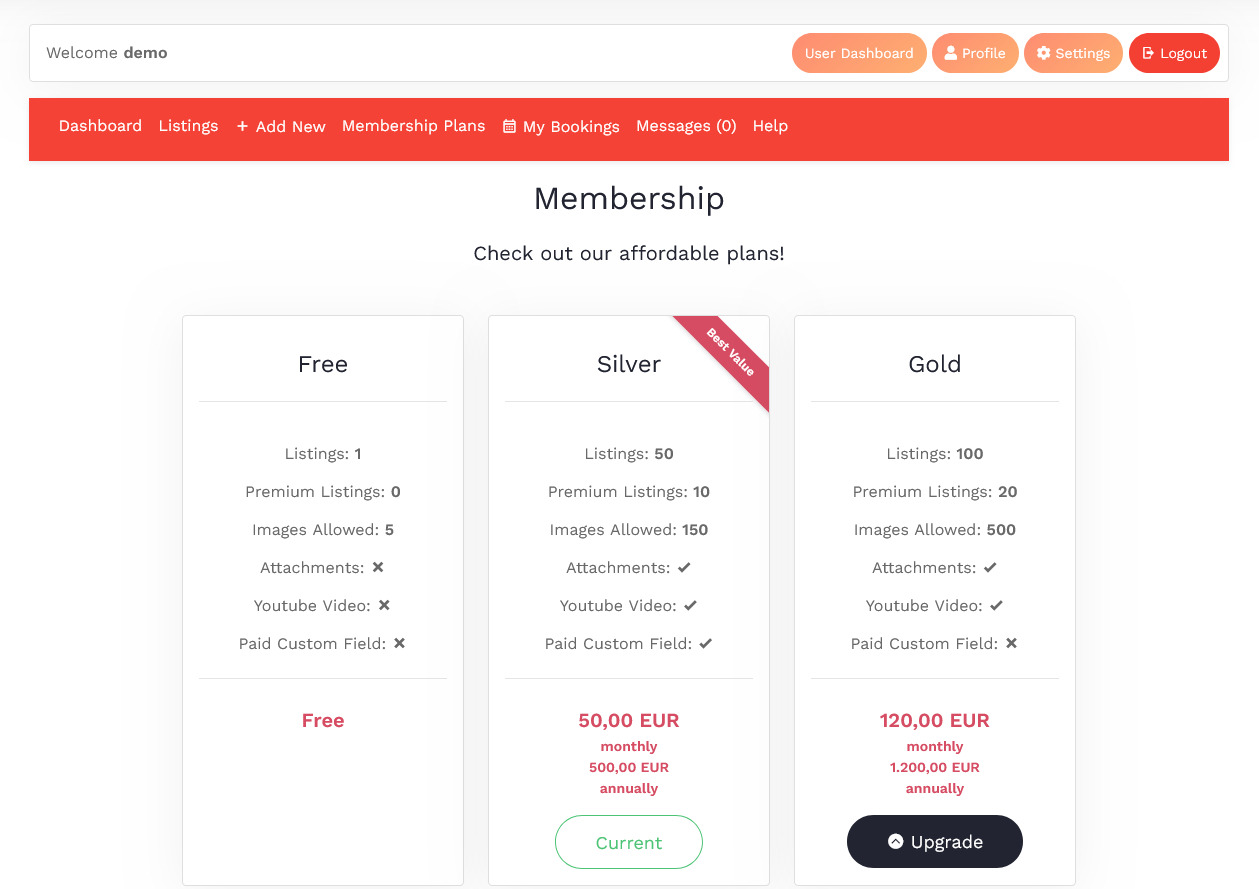
To upgrade the user membership plan you can either click **Upgrade Your Membership NOW** or click the Membership tab on the Front Admin page. The membership plans that are available for upgrade are shown as seen in the following image.

[![obraz.png](https://wiki.comdev.eu/uploads/images/gallery/2024-03/scaled-1680-/X9fobraz.png)](https://wiki.comdev.eu/uploads/images/gallery/2024-03/X9fobraz.png)
<span class="confluence-embedded-file-wrapper confluence-embedded-manual-size">  
</span>

**Screen 2: Membership plans**

Click **Upgrade** to upgrade to the higher plan. You can then select an appropriate mode of payments and complete the transaction.

<div bis_skin_checked="1" class="confluence-information-macro confluence-information-macro-note conf-macro output-block" data-hasbody="true" data-macro-name="note" id="bkmrk-to-see-the-upgrade-b"><div bis_skin_checked="1" class="confluence-information-macro-body">To see the Upgrade button for any plan, ensure that you have configured PayPal or other payment gateway details. For more information, see [PayPal Configuration](https://wiki.comdev.eu/books/installation-requirements-language/page/paypal-configuration "PayPal Configuration").</div></div><span class="confluence-embedded-file-wrapper confluence-embedded-manual-size">![](https://wiki.comdev.eu/download/attachments/7438876/userguide_member_jh2.jpg)</span>

**Screen 3: PayPal configurations**