# User Membership
### Overview
You can view the user membership plan details on the Front Admin page. If eligible for, you can also upgrade the user membership plan to a higher plan.
User membership plan can only be upgraded through the Front Admin. You can perform other membership tasks from the back end using information given in the [Membership](https://wiki.comdev.eu/books/jomevents/page/membership "Membership") section of the Administrator's Guide.
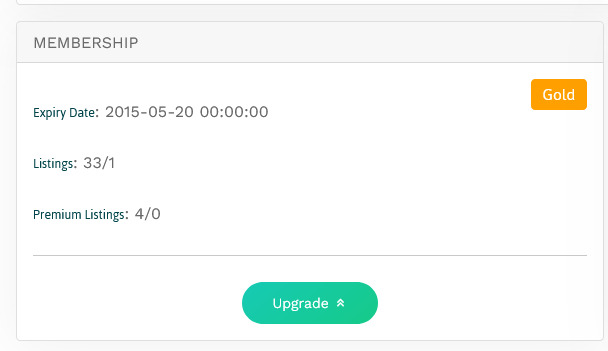
The following screen shows the Membership details for the user.
[](https://wiki.comdev.eu/uploads/images/gallery/2024-03/bmWobraz.png)

**Screen 1: Membership details**
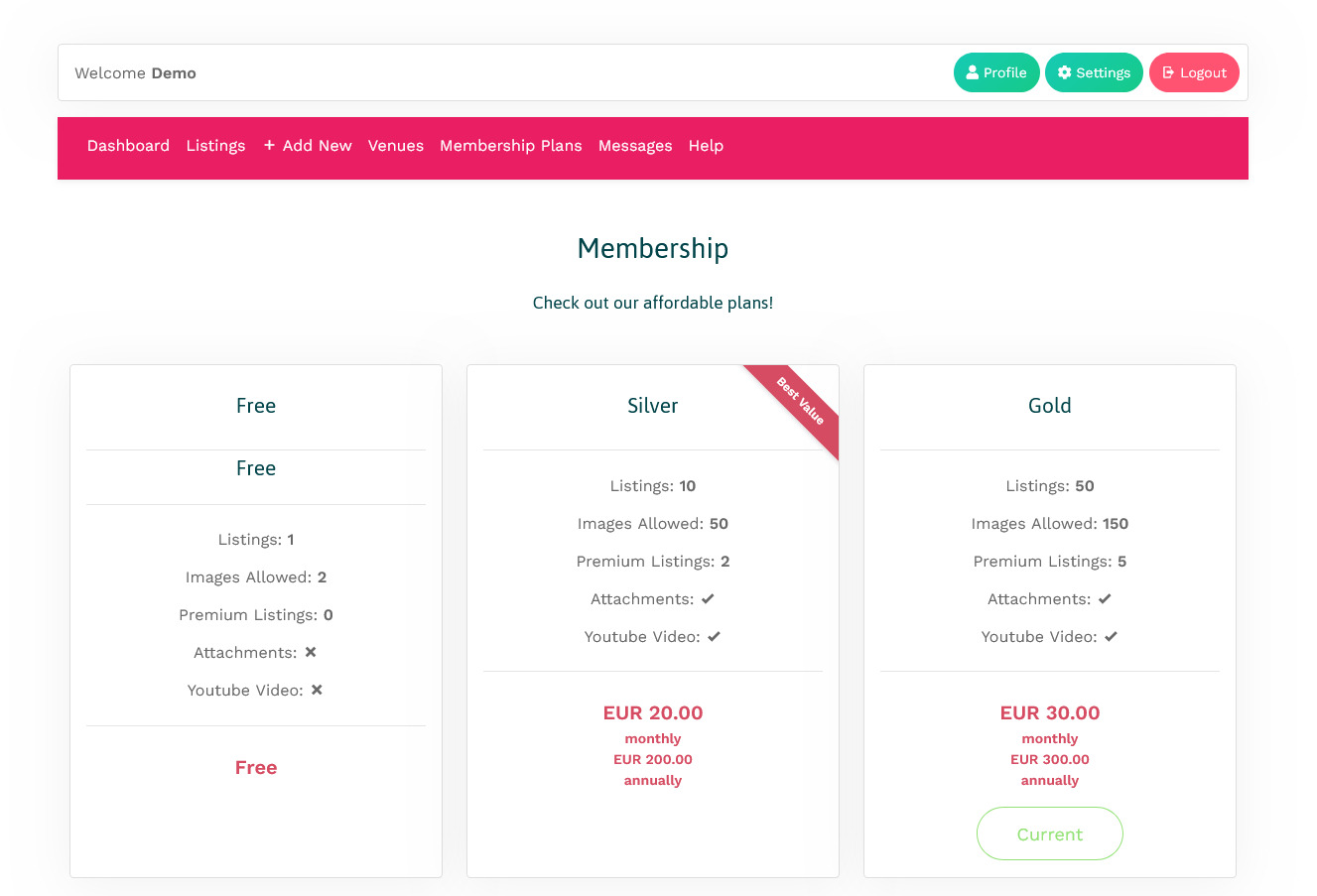
To upgrade the user membership plan you can either click **Upgrade Your Membership NOW** or click the Membership Plans tab on the Front Admin page. The membership plans that are available for upgrade are shown as seen in the following image.
The Membership Plans tab on the Front Admin page is available only if you are logged in as a company.
[](https://wiki.comdev.eu/uploads/images/gallery/2024-03/Zujobraz.png)

**Screen 2: Membership plans**
Click **Upgrade** to upgrade to the higher plan. You can then select an appropriate mode of payments and complete the transaction.
To see the Upgrade button for any plan, ensure that you have configured PayPal or other payment gateway details. For more information, see [PayPal Configuration](https://wiki.comdev.eu/books/installation-requirements-language/page/paypal-configuration "PayPal Configuration").